


Quick Links
CCNA Labs
From Zero to Full Hands-On Mastery
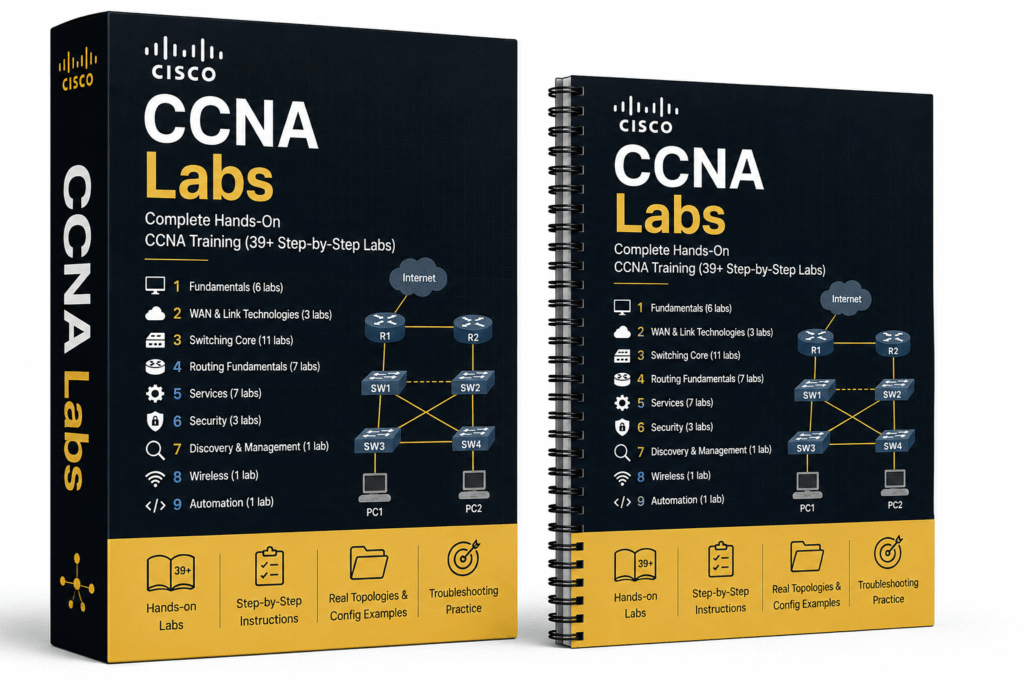
These 39+ mission-based workbooks take you from basic networking fundamentals all the way to full CCNA-level mastery in switching, routing, WAN technologies, security, services, wireless, and automation.
You get all of these labs:
Every lab includes clear objectives, real topologies, step-by-step configuration, verification commands, and troubleshooting practice.
RESULT:
Full CCNA-level hands-on mastery — from basic networking all the way to advanced enterprise skills.
OSPF Mastery
From Confused to Confident
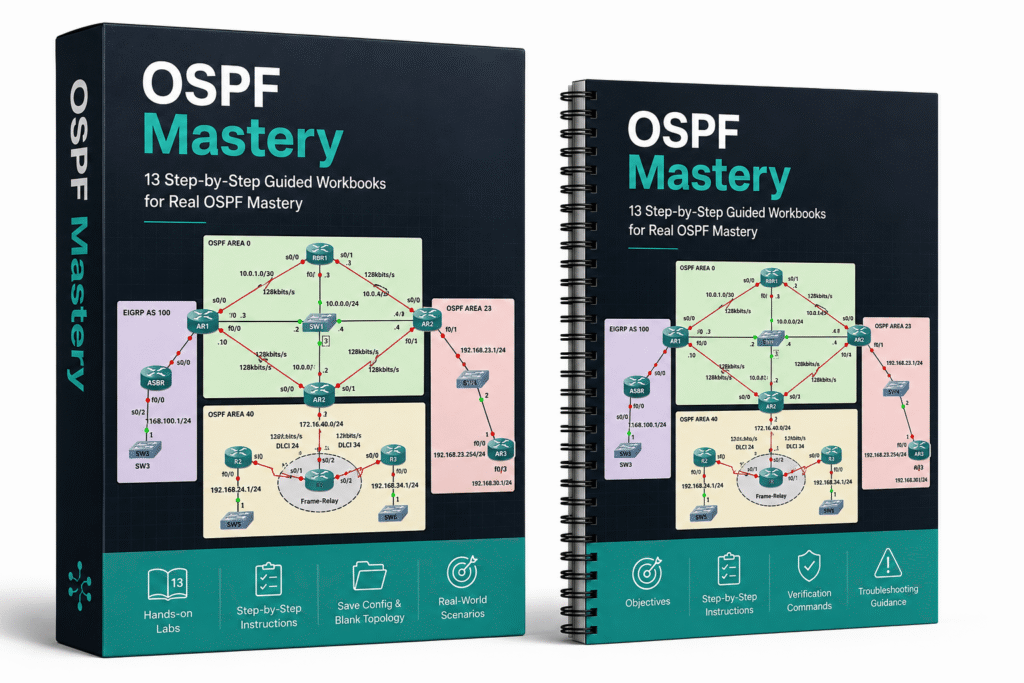
These 13 mission-based workbooks take you from basic OSPF configuration all the way to advanced enterprise-level scenarios.
You get all of these labs:
Every workbook includes clear objectives, verification commands, and both Save Config and Blank Topology versions.
RESULT:
You don’t just configure OSPF — you deeply understand how it behaves in real networks, how to troubleshoot it under pressure, and how to make confident design decisions.
EIGRP Mastery
Real Behavior, Not Just Commands
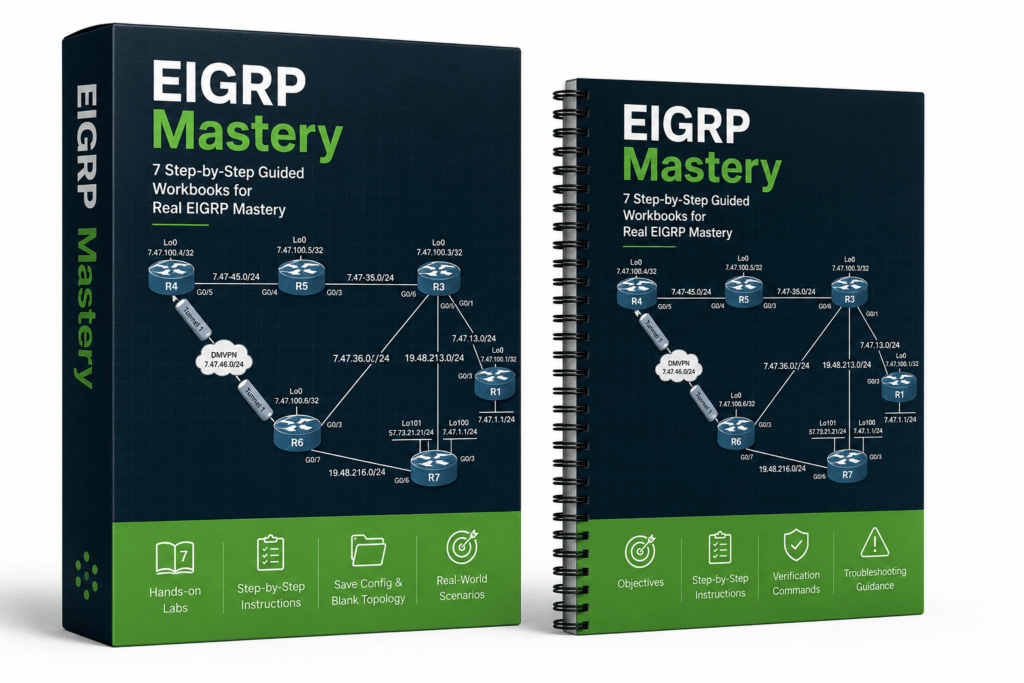
These 7 mission-based workbooks take you from basic EIGRP configuration all the way to advanced enterprise troubleshooting and design scenarios.
You get all of these labs:
Every workbook includes clear objectives, verification commands, and both Save Config and Blank Topology versions.
RESULT:
You don’t just configure EIGRP — you deeply understand how it behaves, how to troubleshoot it under pressure, and how to make confident design and optimization decisions.
Multi-Protocol Routing
Because Real Networks Don't Run One Protocol
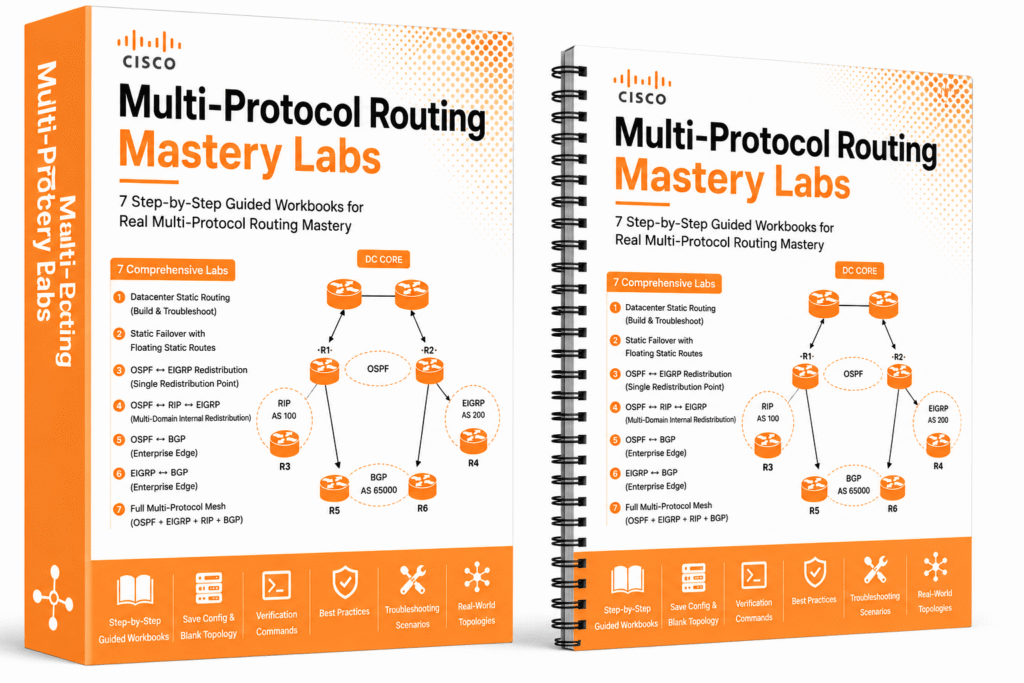
These mission-based workbooks take you from basic static routing in the datacenter all the way to advanced multi-protocol redistribution, enterprise edge peering, and full OSPF + EIGRP + RIP + BGP mesh designs.
You get all of these labs:
Every lab includes real topologies, Save Config and Blank Topology versions, verification commands, and troubleshooting scenarios.
RESULT:
Real-world multi-protocol routing mastery — you learn how to design, redistribute, and troubleshoot complex routing environments exactly like a professional network engineer.
DMVPN Matery Labs
Production-Grade VPNs You Can Troubleshoot Under Pressure
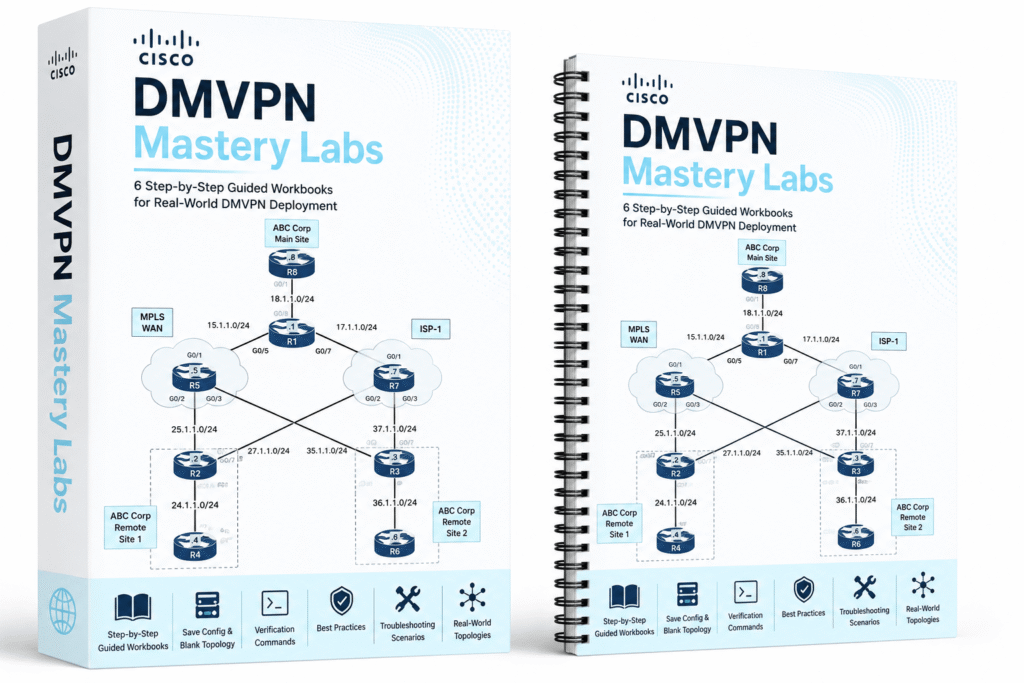
These 6 mission-based workbooks take you from basic single-hub DMVPN all the way to advanced dual-hub, dual-cloud designs, NHS clustering, and DMVPN with DHCP.
You get all of these labs:
Every lab includes clear objectives, real topologies, Save Config and Blank Topology versions, verification commands, best practices, and troubleshooting scenarios.
RESULT:
Real-world DMVPN mastery — you learn how to design, optimize, and troubleshoot production-grade DMVPN networks with full redundancy and advanced features.
MPLS L3VPN Mastery Labs
Design and Troubleshoot Real Service Provider Networks
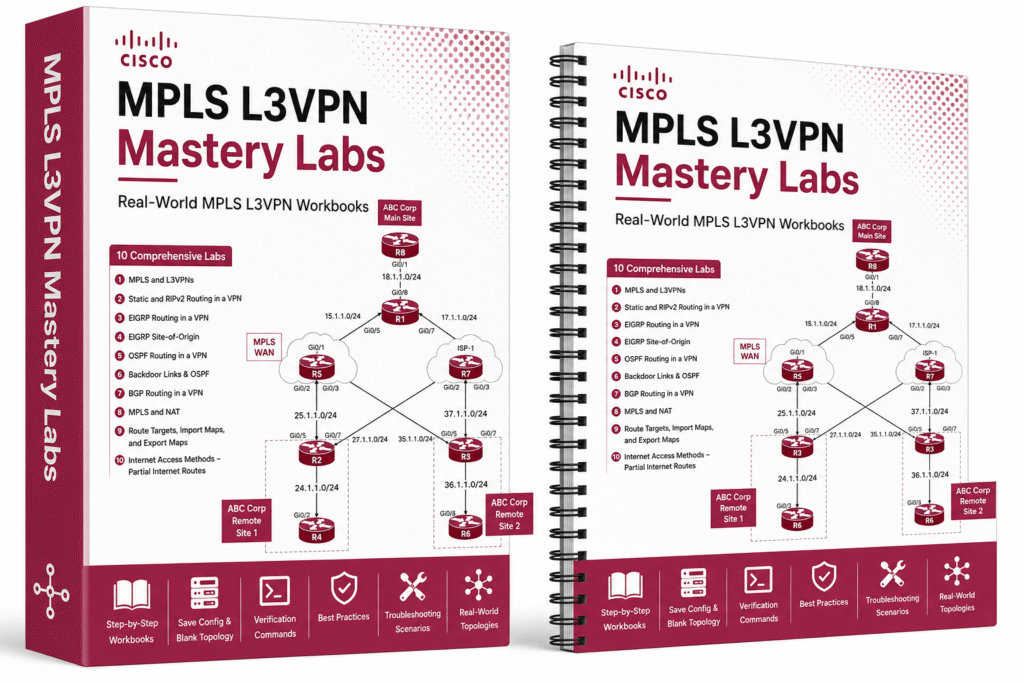
These mission-based workbooks take you from basic MPLS and L3VPN fundamentals all the way to advanced VPN routing (EIGRP, OSPF, BGP), Site-of-Origin, backdoor links, Route Targets, Import/Export Maps, and Internet access methods.
You get all of these labs:
Every lab includes clear objectives, real topologies, Save Config and Blank Topology versions, verification commands, best practices, and troubleshooting scenarios.
RESULT:
Real-world MPLS L3VPN mastery — you learn how to design, implement, and troubleshoot production-grade MPLS VPN networks with full control and flexibility.
Modern Switching Mastery Labs
Understand What's Really Happening Under the Hood
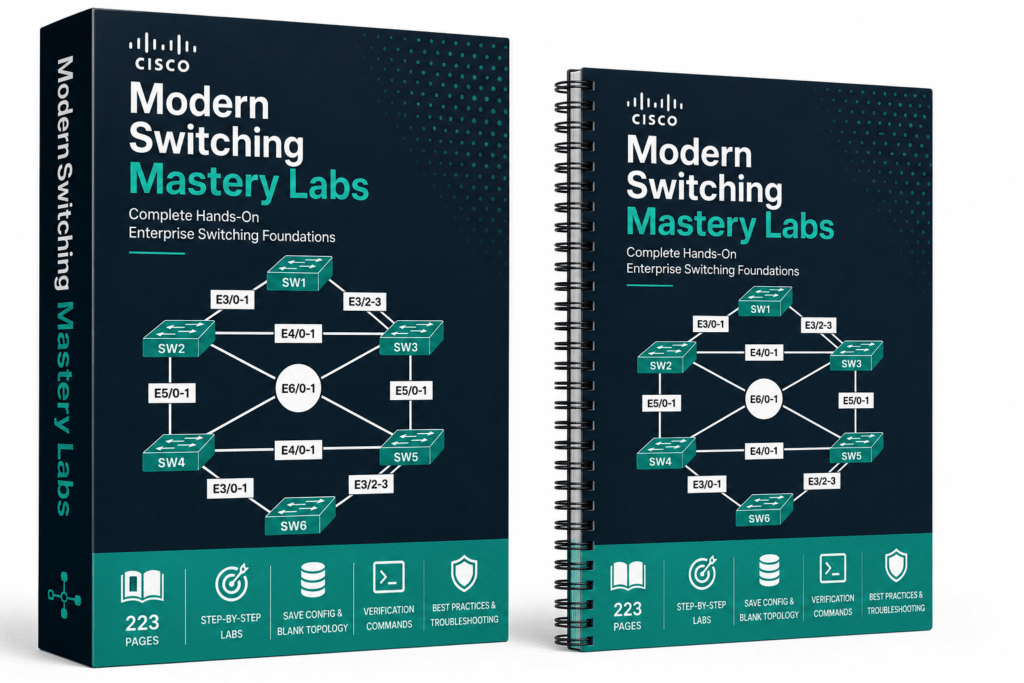
These full 223-page mission-based guided workbooks take you from basic trunk configuration and VTP all the way to advanced modern switching concepts used in real enterprise networks.
You get all of these labs:
Every lab includes clear objectives, real topologies, Save Config and Blank Topology versions, detailed configuration tasks, verification commands, best practices, and troubleshooting scenarios.
RESULT:
Real-world switching mastery — you don’t just configure switches, you truly understand how modern enterprise Layer 2 networks behave under the hood.
Cisco Spanning Tree Mastery Labs
Stop Guessing, Start Controlling Layer 2
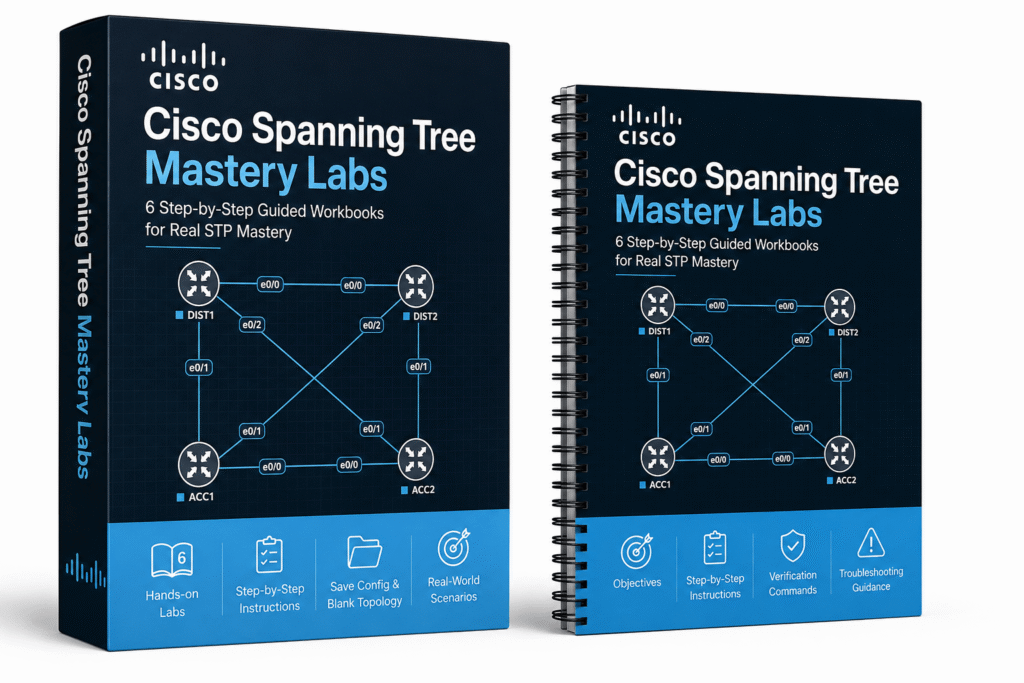
These 6 mission-based workbooks take you from basic STP fundamentals all the way to advanced enterprise troubleshooting and load balancing with Rapid-PVST and MST.
You get all of these labs:
Every workbook includes clear objectives, verification commands, topology diagrams, and both Save Config and Blank Topology versions.
RESULT:
You don’t just configure STP — you deeply understand how it behaves in real networks, how to control it, troubleshoot failures, and design load-balanced Layer 2 environments like a professional.
PaloAlto Firewall Labs
15 Labs That Build Real Firewall Confidence
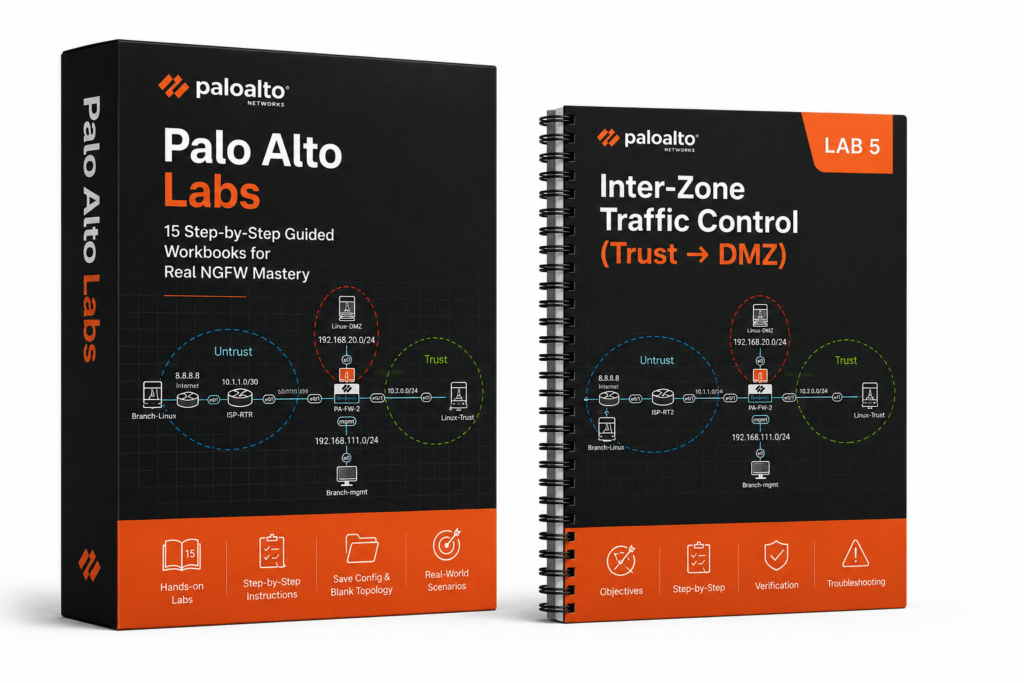
From basic setup to advanced security scenarios, these 15 mission-based workbooks give you exactly the hands-on practice real engineers need in production.
You get all of these labs:
Every workbook includes clear objectives, verification steps, troubleshooting, and both Save Config and Blank Topology versions.
RESULT:
You don’t just configure PaloAlto — you learn how it actually behaves, how to troubleshoot it, and how to make confident decisions in real enterprise environments.
CCIE Datacenter Labs
VXLAN, EVPN, and Nexus — Already Built. Just Run It.
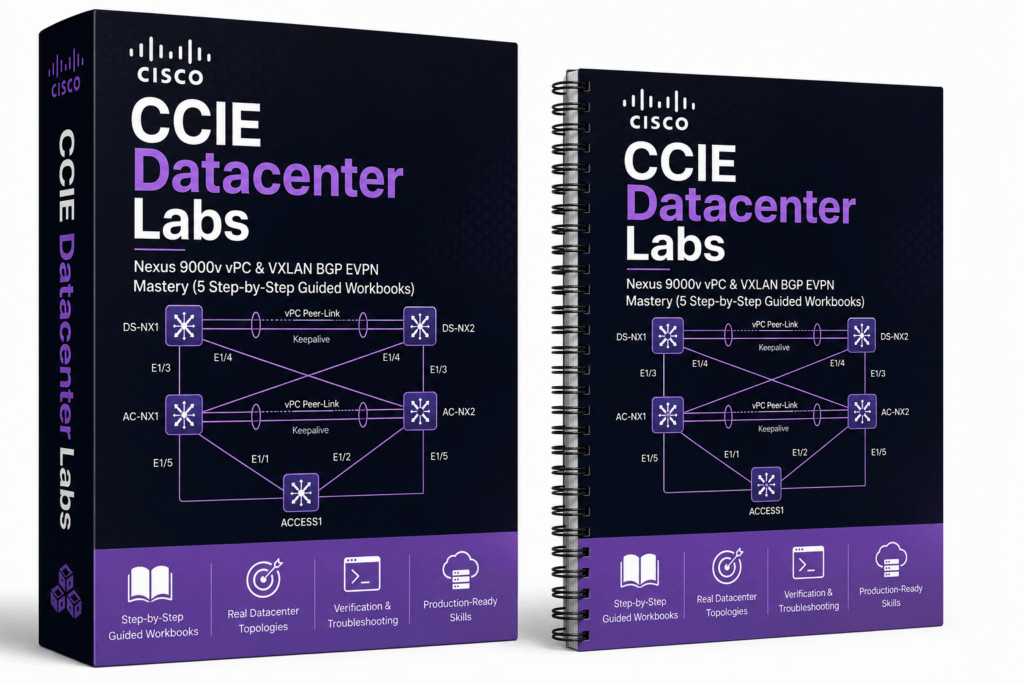
These 5 mission-based workbooks take you from core vPC fundamentals to advanced Data Center labs featuring modern Leaf-Spine architectures, multi-tier designs, and complete VXLAN BGP EVPN fabric deployments with Anycast Gateway and L3VNI services.
You get all of these labs:
Cisco Nexus 9000v vPC
Cisco Nexus 9000v VXLAN BGP EVPN
Every workbook includes clear objectives, exact EVE-NG cabling, step-by-step configuration, verification commands, troubleshooting, and Save Config versions.
RESULT:
Real CCIE Datacenter-level hands-on mastery of Nexus 9000v vPC and modern VXLAN BGP EVPN fabrics — exactly what you need for production data center environments.
ONE PACK. ONE PAYMENT.
Start with the CCNA labs, move into routing and security, then use the advanced scenarios when you are ready. There is no time limit.
EVE-NG Full Pack
One-time payment.
30-Day "Practice Risk-Free" Money-Back Guarantee (If you don’t love it, I’ll refund every cent — no questions asked)
The OVA
Your Lab Is Already Running
Most engineers who try to build an EVE-NG environment from scratch go through the same experience:
Day 1 — download EVE-NG, configure the network adapters, hit an error. Day 2 — find a forum post, try the fix, different error. Day 3 or more — still no lab. Still haven’t configured a single route.
The OVA eliminates all of that.
One file. Import into VMware Workstation or an ESXi. Power it on.
That’s the entire setup process.
No Linux configuration. No network adapter troubleshooting. No QEMU dependency errors. No hunting for the right image version. No broken boots.
Everything that normally takes days has already been done — tested, verified, and packaged into a single file that works the moment you import it.
Here’s exactly how it works:
Step 1 — Download the OVA file You receive a download link immediately after purchase. No special software required.
Step 2 — Import into VMware Open VMware Workstation or ESXi. File → Import → select the OVA. Takes 5–10 minutes depending on your hardware.
Step 3 — Power it on Start the virtual machine. EVE-NG boots automatically. Open your browser, navigate to the EVE-NG interface, and your lab environment is ready.
Step 4 — Open a topology and start Every lab scenario is already loaded. Every image is already installed. Every workbook is already waiting. You open a topology and begin interacting with a real network.
Total time from download to first lab: under 20 minutes.
[DEMO VIDEO: Watch the full import in 3 minutes →]
Compatible with:
“Installed EVE-NG Full Pack. It was just awesome. All images still working fine. I personally recommend going for it blindly.” — KALPESHKUMAR PRAJAPATI
This is not a simulator. This is not a cloud tool. This is a complete, self-contained professional lab environment running on your own hardware — ready in minutes.
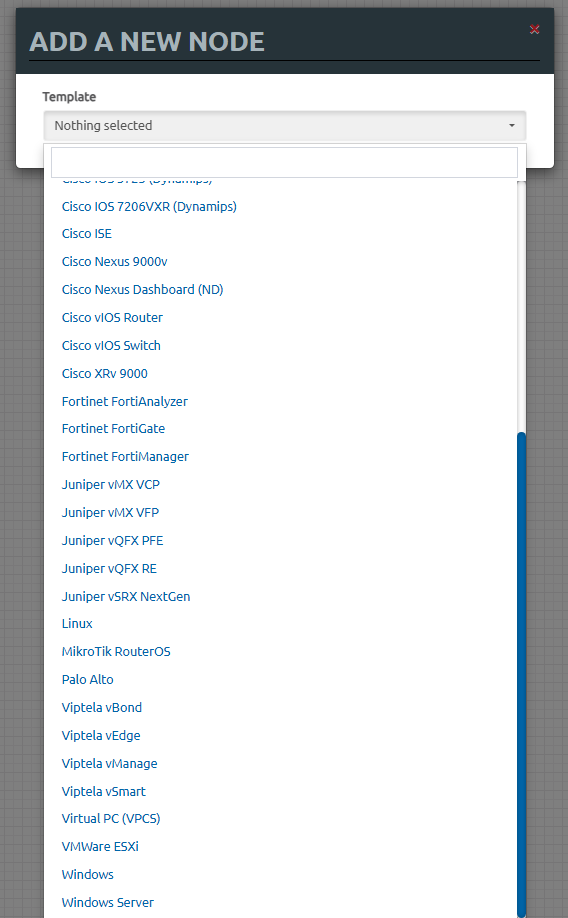
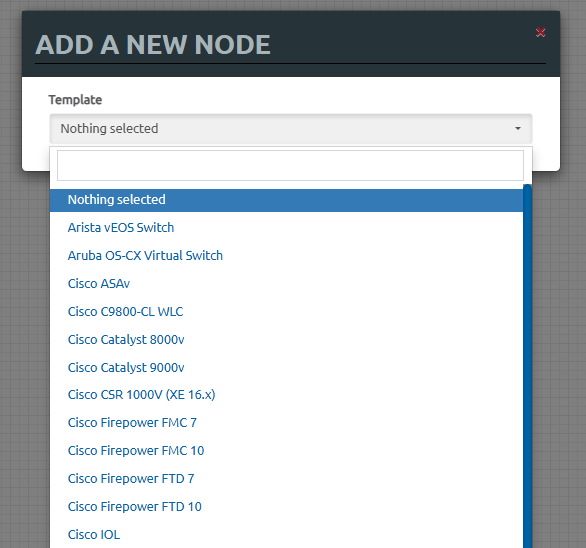
50+ Essential Images
Every Vendor. Zero Errors.
Every image inside the EVE-NG Full Pack has been sourced, tested inside real EVE-NG topologies, verified for clean boots and stable performance, and pre-installed inside the OVA before it ever reaches you.
No hunting. No version chaos. No missing dependencies. No QEMU mismatches.
You open the topology. The image boots. The lab runs.
✅ Pre-installed inside the OVA — no separate downloads
✅ Tested inside real EVE-NG topologies — not just “it boots”
✅ Verified for stable performance across multi-node scenarios
✅ Zero license errors, zero QEMU mismatches, zero broken boots
✅ Aligned with the workbooks — every lab uses the exact image version it was written for
“It’s a great product with a bundle of images.” — David Larson
“After trying other expensive products and vendors, I decided to give this a try. All I can say is wow! Everything worked perfectly.” — ReyM Mendez
This is not a list of images that might work. Every image has been tested in real lab conditions and confirmed stable — before it was ever included.
166 Guided Workbooks
The Execution Layer of the Ecosystem
The images give you the environment.
The topologies give you the scenario.
The workbooks give you the path through it.
Without the workbooks, you have a lab. With the workbooks, you have a guided repetition system.
That’s the difference.
Every workbook in the EVE-NG Full Pack was written specifically for the topology and image version it runs alongside. Not adapted from somewhere else. Not generic lab instructions. Written for that exact scenario — so that when you open a topology inside EVE-NG and open the matching workbook, everything aligns.
The image is the one the workbook was tested on. The topology is the one the workbook was written for. The task sequence is the one that produces the outcome described in the objectives.
Nothing mismatches. Nothing requires translation.
Here’s how every workbook is structured:
Objectives — What you will be able to do by the end of this lab. Specific, measurable, tied to the scenario.
Topology Diagram — A clear diagram of the exact cabling and device layout running inside EVE-NG. You always know what you’re looking at.
Configuration Tasks — Step-by-step instructions. Specific commands, specific interfaces, specific parameters — exactly what to type and where.
Verification Commands — The exact commands to run after each task to confirm it worked. You don’t guess whether it’s right. You verify it.
Troubleshooting Scenarios — Pre-built fault conditions included in most labs. You find the problem, diagnose it, fix it. Real troubleshooting under guided conditions.
Save Config + Blank Topology versions — Every major lab includes both. Run it configured first. Then run it blank. The workbook is your guide for both passes.
This structure eliminates the single biggest momentum killer in self-study:
“I don’t know what to do next.”
That moment — where you’re staring at a blank terminal, unsure whether to configure the next interface or verify the last command or troubleshoot the route that’s not showing up — is where most engineers lose momentum.
The workbook removes that moment entirely.
You always know what to do next. You always know whether what you just did was correct. You always know how to troubleshoot when something breaks.
That’s not hand-holding. That’s the structure that makes deep repetition possible.
Because you can only repeat something effectively when the feedback loop is clear. Configure → verify → troubleshoot → repeat. The workbook is what closes that loop every single time.
“The workbooks are super.” — Larry Waswa, KE
“They are easy to follow and understand.” — Alex Tylor, US
“Everything is neatly organized. Labs are great to practice.” — tusharamin
166 workbooks. Every major protocol. Every vendor. Every scenario. Each one written for the exact topology and image it runs alongside. That is the execution layer of the ecosystem.
Save Config + Blank Topology
The Two-Pass Method
Most engineers run a lab once. They follow along, get it working, feel good about it — and move on.
Two weeks later, they can’t rebuild it from memory.
That’s not a memory problem. That’s a method problem.
Real engineering instinct doesn’t come from seeing something work once. It comes from the cycle of seeing it work, understanding why it works, and then rebuilding it from nothing — repeatedly — until the commands are automatic.
Every lab in the EVE-NG Full Pack includes two versions of the same scenario:
Save Config Version The topology is pre-loaded with a working configuration. Every device is already configured. The lab is already running.
Use this first.
Open the topology. Explore the configuration. Verify the outputs. Understand how each piece connects to the next. Trace the traffic flow. Break something on purpose and watch what happens.
This pass is about comprehension. You’re not guessing. You’re reading a working solution and understanding it deeply.
Blank Topology Version The same topology — but empty. No configuration on any device. Just the cabling, the nodes, and the workbook.
Use this second.
Open the workbook. Start from Task 1. Configure everything from scratch — exactly as the workbook instructs. Verify each step. Troubleshoot when something doesn’t behave as expected. Rebuild the exact scenario you just studied.
This pass is about execution. Your hands are now doing what your brain understood.
Why Two Passes Build Real Instinct
The first time you do a blank topology, it’s slow. You check the workbook often. You make mistakes. You fix them.
The second time, it’s faster. You remember more. You check the workbook less.
By the fifth or sixth time — for the protocols that matter most — you stop checking the workbook entirely. The commands come automatically. The troubleshooting logic is already in your hands.
That is the moment networking stops feeling abstract and starts feeling controllable.
That moment only comes through structured repetition. And structured repetition only works when the environment is stable, complete, and ready to run again without rebuilding from scratch.
That’s why the two-version format exists in every lab.
Not as a convenience feature.
As the core mechanism of the entire system.
“The workbooks are super.” — Larry Waswa, KE
“Perfect solution for certification prep. All images working fine. Labs are great to practice.” — tusharamin
Run it with the answer. Understand it completely. Then run it without the answer until it becomes instinct. That is how real engineers are built.
BEFORE YOU BUY
Larger firewalls and data center images need more resources than a basic routing or switching topology.
4 vCPUs recommended
8+ vCPUs recommended
Workstation or ESXi
These customers talk about the part that matters most. Getting a working environment and moving on to practice

Thank you so much for your response to my concerns. It’s really impressive to see the lengths you’ve gone to after I raised my complaint. The effort you’re now putting in is clearly evident, and I appreciate the updates made to the labs. For anyone noticing labs that aren’t up to standard, I recommend reaching out as I did. It’s made a difference.
I’m currently reviewing each lab in my spare time, and it’s great to see the improvements being implemented where necessary. Your willingness to take feedback and act on it is a testament to the commitment of your team. Let’s keep up the momentum and maintain this excellent standard of work and support.

By Mark Marais, ZA

Hi Ali, Thanks for the email. Its going very well with the new collection after a few teething problems which David helped resolve. I am working on the new IPv6 Mastery Labs at the moment – see below- the workbook is excellent and whether we like it or not migration from IPv4 to IPv6 networks is going to gather steam and it will be wise to have the necessary skills. By the way I am already a CCIE but I find Dynamips an excellent tool for keeping my practical skills and knowledge up to date at a very reasonable cost.
By William M, Germany
If it was in the month of April, I could have said it is April fools day. The most valuable and expensive material was given out like a gift by this site something that can cost someone thousands of money. I have been trying to familiarise myself with the real emulator, tried gns3 but I never succeeded due to the set up of virtual devices so complicated, this site gave me everything in the packet as a takeaway food; Download –> Install–> Load your lab –> start working. Simple as ABC. Millions thanks to you guys that made network life easy for someone like me
- Adams
I purchased the EVE-NG Full Pack last year, however I somehow misplaced my lab workbook files. I reached out to the crew at Dynamips to see what I needed to do in order to get another copy of the workbook files. They responded promptly and provided me with the appropriate links in order to download the files needed. This type of customer satisfaction is something to really be proud of.
By Fred Wakefield, US
This is really great, for those who really need virtual devices to practice and implement their knowledge and skills in Network Engineering. I definitely recommend this virtual machines to my team to buy from you guys and support you with this, no problem with some minor errors, their chat support team really helps you when encountering an issue and even offered to access my laptop remotely to help me. What you see is what you really get.
Kudos to the guys who made this brilliant platform. I really appreciate it. This is perfect for IT certifications.
- Carry DeCangkarote
i couldn’t not thank enough the seller for this packs , it saves you hassle of installation, they have everything you need for certification and everything is legit and working, the help also its efficient and fast!! If you are thinking of getting it, don’t doubt it, you’ll be happy once you do they won’t disapoint you.
- Manuel Moreno
After trying other expensive products & vendors, I decided to give this a try, all I can say is wow! I used it for my CCNP simulation, everything worked perfectly, now I’m using it for my PA Certs, keep up the good work! I appreciate it!
- ReyM Mendez
I contacted support via the chat line, told them the problem I was running into, and they were able to provide me with the solution.
After I followed their advice and watched the videos, I was up and running in minutes. Thank you for the wonderful support!
By Charles Ryan, US
The great thing about eveng full pack is included most great images and it’ll be ready within 10 minutes and no waste time to configure and upload images from the scratch.
- Alok Tilor
I could only say good things about this store and the people running it. The service is amazing, with your satisfaction at the core. This product is everything you need for training. I will constantly recommend this product to anyone who wants to take their studying seriously.
- Mohamed El
By the way, for anyone out there wondering, all images work perfectly on Proxmox version 8.0 and above, I am running version 8.1.3 at this moment.
- sking0379
EVE-NG full pack is A+ level it’s easy to deploy and helped me alot to my ccnp journey
the workbooks are good
- Hafid Al Onsri
Legit!!! Just what needed for my learn on!!!!
- Kwills-NET
Thanks. I like it. it’s a great product with bundle images
- David Larson
It’s a great service, all images working.
- Allysson
really helped me. you can’t imagine how saved my time. it’s ready and fast eveng
- Lee Collins
Images and LAB are great thanks.
- Mohan Sharma
I like the eve-ng labs, specifically the sd-wan labs for eve-ng. labs was great and included workbook of how to setup the sd-wan nodes. Thank you.
- Dorian Alka
Its Perfect solution for the certification prep. All images are working as fine as mentioned and LAB’s are great to practice. Tried both eve and GNS3. Awesome!!!
- tusharamin
Installed EVE-NG full pack. It was just awesome. all the images still I check all are working fine. Team has really put great effort to make the Network Professional life easy. I personally recommended to go for it blindly. Thank you for all your efforts.
- KALPESHKUMAR PRAJAPATI
well, all feedbacks are true. full package is legit and working. if you are already familiar on using eve-ng then it will be easy for you. if you like me using this for the first time, just have a chat with them or email them and they will respond and assist you hands on like less than 20-30mins. hopefully more images will be offer. but yeah this site is helpful indeed
- Jeffrey Dela Cruz
I contacted support via the chat line, told them the problem I was running into, and they were able to provide me with the solution.
After I followed their advice and watched the videos, I was up and running in minutes. Thank you for the wonderful support!
By Sh Ver, ZA
Quick and Easy. Stupid simple. Recommend to all!
By Lucien Gaudet, US
working as expected , thank you so much
Kudos to the guys who made this brilliant platform. I really appreciate it. This is perfect for IT certifications.
- deepak reddy
very easy to deploy, and help-full for training in all IT sector .
- assistanislastle
I love it. now I don’t need to waste my time configuring eve-ng. ready to use thank you
- Tina Alori
WOW. can’t imagine how you saved my time and money. worth thousands
- Borhan Ladir
EVE-NG full pack is A+ level. recommend it, they are all willing to help. thank you guys
- Turkan Ishvery
New images was great. Thank you
- Mark Defek
Its great …..really great…
- captor
Works very well! Reached out to support with questions and got responses the same day.
- Jose Rosario
Excellent Seller… Always willing to help. Worth the purchase
- Shuyeb Halde
This Site is worth it, I though it was a joke and scam. Everything is good so far and I’m giving the support button a thumbs up.!!!!
- Lonnie Walker
it’s easy to deploy and helped me alot to my ccnp journey
- Adrian Bangort
if I could hand out 10 stars believe me I would. I cannot remember how I found this site, I was probably falling down the deep-end of a rabbit hole, or a google search. If your reading this right-now, believe me, you just hit the “mother-load”. This site jam-packed with everything relatedly-relatable to networking (if that’s even a phrase). Everything works as it should. They have Workbook-tutorials(pdfs), pre-made EVE-NG labs, the whole-works. Everything is neatly tucked away in categorized folders, Optimized for success. Its Legit. Yea I was like you… Send the money and pray. But everything worked out. If your wondering what my setup is, I have a tiny PC (lenovo) 8GB running an ESXI server with an EVE-NG virtual machine on it. Yo don’t trip, I know your fearing the scam, don’t worry, they have everything worked out step-by-step.
By Some_Network_Dude, US
ONE PACK. ONE PAYMENT.
Start with the CCNA labs, move into routing and security, then use the advanced scenarios when you are ready. There is no time limit.
EVE-NG Full Pack
One-time payment.
30-Day "Practice Risk-Free" Money-Back Guarantee (If you don’t love it, I’ll refund every cent — no questions asked)
Getting EVE-NG Full Pack is very easy. All you have to do is:

Click the “Buy Now” button to purchase the EVE-NG Full Pack instantly. You’ll receive an email with your download link right after checkout.

Enter your billing details and confirm your payment securely. Your access is granted immediately.

Download and extract the pre-built OVA on your device. Start EVE-NG and begin practicing with all included scenarios, images, and workbooks.
Answers to common issues so you can start practicing without friction
You get a complete, ready-to-use EVE-NG lab environment with 50+ pre-installed network images, 166+ ready-made lab scenarios, guided workbooks, and both blank and configured topology versions.
Instead of installing EVE-NG, searching for images, and building every lab from scratch, you can import the environment, open a lab, and start practicing.
EVE-NG LABs Full Pack includes pre-configured workbooks, network device images, step-by-step guides, and a ready-made OVA file for simulating networks.
Not exactly. The EVE-NG Full Pack includes many of the same technologies, images, labs, and workbooks, but the CCIE Enterprise and CCIE Security Packs are structured specifically around their certification paths. The Full Pack is designed as a broad hands-on practice environment with 166+ labs and scenarios across multiple technologies, while the dedicated CCIE Packs provide a more focused, step-by-step progression from foundational concepts to expert-level tasks.
All images in the pack are legal to use in a personal lab environment for study and practice purposes — which is the standard in the network engineering community. This is the same way every professional lab and training environment operates.
No. The included network images are already installed and configured inside the EVE-NG environment.
The labs are also built using the matching image versions, so you do not need to manually search for images or connect them to the included topologies.
No. The Full Pack is delivered as a pre-built EVE-NG virtual appliance.
Import the OVA into a supported virtualization environment, start the virtual machine, and access EVE-NG from your browser.
Yes. You do not need to be an EVE-NG expert to use the pack.
You can start with the beginner-friendly CCNA labs and progress gradually into routing, switching, security, CCNP, and advanced enterprise technologies. The guided workbooks show you what to configure, how to verify it, and what to troubleshoot.
Basic networking knowledge is helpful, but the lab environment itself is already prepared for you.
Yes. You are not limited to the included labs.
You can use the installed images to create your own EVE-NG topologies, add devices, connect nodes, modify existing labs, and build completely custom network scenarios.
The 166+ included labs+workbooks are there to help you start quickly, but the environment remains fully customizable.
The packs are designed for VMware Workstation and ESXi. VMware can be installed on Ubuntu, but this setup hasn’t been fully tested.
It depends on the type of labs you want to run.
For most CCNA and CCNP routing and switching labs, we recommend at least 8–16 GB of RAM and 4 vCPUs.
Larger firewall, data center, and advanced multi-device labs require more resources. For those labs, 16–32 GB of RAM and 8+ vCPUs is recommended.
You can still use the pack on a lower-spec system by running smaller labs.
The Full Pack is not designed for direct deployment on Hyper-V.
For the easiest installation and best compatibility, we recommend VMware Workstation or VMware ESXi.
Yes, all files are delivered as OVA, easily imported into VMware Workstation or ESXi.
Yes, you can transfer the images and use them on your server with a professional license.
Follow these guides for detailed instructions:
How to Download EVE-NG images from EVE-NG Full Pack on your computer
How to Upload new images into EVE-NG Full Pack
These steps will help you successfully transfer and set up the images on your existing server.
Yes, you can transfer the images and use them on your server with a professional license.
Follow these guides for detailed instructions:
How to Download EVE-NG images from EVE-NG Full Pack on your computer
How to Upload new images into EVE-NG Full Pack
These steps will help you successfully transfer and set up the images on your existing server.
Yes. The pack includes labs ranging from CCNA fundamentals to CCNP and advanced enterprise-level technologies.
You will find practice environments for technologies such as OSPF, EIGRP, MPLS, DMVPN, switching, firewalls, data center technologies, and more.
However, dedicated CCIE Enterprise and CCIE Security Packs provide a more focused learning path specifically structured around those certification tracks.
Updates are provided on an ongoing basis.
For the workbooks and lab content, new scenarios and improvements are typically added based on customer feedback, requests, and emerging training needs.
For EVE-NG itself and the included images, updates are released whenever stable and well-tested versions become available. Our focus is on reliability rather than pushing frequent beta releases, so you’ll receive updates that are actually useful and production-worthy.
The goal is to keep the pack relevant and current while maintaining a stable learning environment.
No. The EVE-NG Full Pack is a one-time payment with lifetime access.
There are no recurring fees, subscriptions, or renewal charges. Once purchased, you’ll have permanent access to the package and future updates included with your purchase.
Please let me know if you have any other questions. I’d be happy to help.
No. There is some overlap in technologies, images, and lab topics, but they are different products.
The EVE-NG Full Pack is a broad practice environment covering many networking technologies and skill levels.
The dedicated CCIE Packs are organized specifically around their respective certification paths and provide a more focused progression toward advanced CCIE-level practice.
You get both.
Major labs include a configured Save Config version that you can open to study and verify a working network, as well as a Blank Topology version that lets you build the configuration yourself using the workbook.
This means you can first understand how the solution works and then rebuild it from scratch.
Technical support is included.
If you have trouble importing the environment, starting an image, or running one of the included labs, contact support and we will help you get the environment working.
Your purchase is covered by a 30-day money-back guarantee.
This gives you time to install the environment, explore the labs, and make sure the pack is right for your setup and learning goals.
Still have questions
We will help you get to your first working lab today
Stop fighting EVE-NG setup. Start building real labs in minutes.
One-time payment. Lifetime access.
30-Day "Practice Risk-Free" Money-Back Guarantee
(If you don’t love it, I’ll refund every cent — no questions asked)
We usually respond within 12 hours.
YOUR DETAILS · THEN PAYMENT
Enter your name and email, then continue to payment.
Enterprise Troubleshooting Labs · $39
30 labs · 42 PDF workbooks and guides
One-time payment · Lifetime access
No payment is taken on this form.
Please sign in or sign up below.
Please enter the 6 digit code we sent to .
Add a few details so we can personalize your experience.
Sign in with your email and password.
You can continue on this page.
By signing in, you agree to our Terms and Privacy Policy.
