

Quick Links
A ready-to-run GNS3 lab environment with 48 installed network images, 74 guided scenarios, and step-by-step workbooks. Import the OVA, open a topology, and start practicing.
One-time payment
Instant access
Built for VMware Workstation. Check your requirements ↗
LAB LIBRARY
From networking fundamentals to security and data center practice. Choose a path and see what you’ll configure.
01 / NETWORK FOUNDATIONS
39+ guided workbooks
Build routing, switching, WAN, services, security, wireless and automation skills across nine modules.
02 / SWITCHING
223-page workbook
Practice the Layer 2 behaviours used in enterprise networks, from VLANs to advanced trunking.
03 / SPANNING TREE
6 guided labs
Move from root bridge election to convergence, load balancing and troubleshooting.
04 / SECURITY
15 guided labs
Practice real firewall configuration from the first policy through advanced security scenarios.
05 / DATA CENTER
5 guided labs
Explore Nexus 9000v vPC and VXLAN BGP EVPN fabrics using ready-made topologies.
ONE PACK. ONE PAYMENT.
Start with CCNA foundations, move into switching and security, then take on CCIE Data Center scenarios. The images, topologies and workbooks are ready when you are.
ONE-TIME PAYMENT
One-time payment. Instant access.
Refund policy
Refunds for this digital product are handled under our Refund Policy. Contact support if you have trouble accessing or using the pack.
INSIDE YOUR GNS3 PACK
A prepared OVA, installed images, guided workbooks and ready-made topologies in one practice environment.
01 / THE APPLIANCE
A ready-to-import GNS3 virtual machine with network images and lab topologies prepared for hands-on practice. Run it on your own computer with VMware Workstation and the GNS3 client.
1
Download the OVA after purchase.
2
Import it into VMware Workstation.
3
Start the VM and open GNS3 on your computer.
02 / INSTALLED IMAGES
Browse the image families and versions listed for this GNS3 pack. Search by vendor, image name or version.
| Vendor | Image family | Included versions |
|---|---|---|
| Cisco | Cisco ISE 3 |
|
| Cisco | Cisco ASA Firewall |
|
| Microsoft | Windows |
|
| Cisco | Cisco CSR 1000 Router |
|
| Cisco | Cisco CSR 1000 Router SDWAN |
|
| Linux | Ubuntu |
|
| Cisco | Viptela SDWAN |
|
| Cisco | vBond |
|
| Cisco | vEdge |
|
| Cisco | vManage vSmart |
|
| Cisco | Cisco 8000 Router |
|
| Cisco | Cisco XR Router |
|
| Cisco | Cisco FirePower |
|
| Cisco | Cisco IOSv L2 |
|
| Fortinet | FortiGate Firewall |
|
| Fortinet | FortiAnalyzer |
|
| Fortinet | Forti Manager |
|
| Cisco | vWLC |
|
| Juniper | Juniper |
|
| MikroTik | Mikrotik Router |
|
| Palo Alto | PaloAlto Firewall |
|
| Arista | Arista Switch |
|
| Aruba | Aruba Switch OS-CX |
|
| Cisco | Nexus 9300/9500 |
|
| Cisco | Cisco IOU L2 XE 2024 |
|
| Cisco | Cisco IOU L3 XE 2024 |
|
| Cisco | Cisco IOSv L3 |
|
No matching images. Try a different name or version, or reset the filters.
03 / GUIDED WORKBOOKS
Follow the scenario from the first task to the final checks.
Understand the goal, device layout and connections.
Work through the commands and settings step by step.
Check the results and work through lab faults.
04 / SAVE CONFIG & BLANK TOPOLOGY
For supported labs, open the Save Config version to inspect working device settings, or start with the Blank Topology and follow the workbook to configure everything yourself.
Open the saved configuration, inspect the devices and verify how the network behaves. Use it as a reference while you learn.
Start with the nodes and connections in place. Use the workbook to configure the devices, verify your work and troubleshoot along the way.
Save Config provides a reference. Blank Topology gives you the practice.
HOW IT WORKS
Five simple steps. Your workbook guides you from there.
01
Download the prepared lab environment — the OVA file.
02
Open the OVA file in VMware Workstation or ESXi.
03
Start the VM, then open the GNS3 client on your computer.
04
Choose a lab and open its ready-made network.
05
Follow the matching workbook. Configure, check and troubleshoot.
You’ll need VMware Workstation and the GNS3 client. The setup guide walks you through the import; larger labs need more memory, CPU and disk space.
QUICK START VIDEO
See the VMware Workstation import and initial setup process before you purchase.
GETTING STARTED
The GNS3 Full Pack includes a ready-to-import virtual machine with installed images and ready-made labs. Download the OVA, run it on your own computer, and practice with the guided workbooks.
READY-TO-IMPORT OVA
4–6 routers or switches
8
GB RAM
2
vCPUs
6–10 devices; firewall
16
GB RAM
6
vCPUs
Up to 30–40 devices
32–64
GB RAM
14
vCPUs
Recommended free disk space: 60 GB for small labs, 100 GB for medium labs and 150 GB for large labs. Resource use varies with active devices.
Need help with setup? VMware Workstation and the GNS3 client are required. Ask support if you need help with OVA import or another environment.
CUSTOMER STORIES
Wow, I have spent so many hours troubleshooting GNS3 and getting the dang thing to work properly for years. I used it to get my CCNP and have worked for Amazon for the last 6 years. I now am back trying to buttress my knowledge and I had to find a training platform that was easier than I had experienced in the past. The DYNAMIPS FULL-PACK is AMAZING!. I just started with it but so far it’s been seamless. Just get a VMWare hypervisor. I’m actually using Fusion 11. Install the VM, what ever one you choose, I chose GNS3 because I am so familiar with it. It Just Works. I’m impressed so far. Thanks.

By ibev, US
They have a product that can get you from trying to fix and tinker with GnS3 to up and running and beyond. I look forward to using this service in all my studies- Glad I found this site, if you’re reading this you should feel the same.
By Mark Smith, US
If it was in the month of April, I could have said it is April fools day. The most valuable and expensive material was given out like a gift by this site something that can cost someone thousands of money. I have been trying to familiarise myself with the real emulator, tried gns3 but I never succeeded due to the set up of virtual devices so complicated, this site gave me everything in the packet as a takeaway food; Download –> Install–> Load your lab –> start working. Simple as ABC.
Millions thanks to you guys that made network life easy for someone like me
By Adams
Its Perfect solution for the certification prep. All images are working as fine as mentioned and LAB’s are great to practice. Tried both eve and GNS3. Awesome!!!
By tusharamin
I got the product a couple years ago and fell in love with it. Whenever I need support, I get assistance in a very reasonable amount of time. I purchased the Eve-ng and GNS3 material.
By Joseph Swabe, US
A FEW MORE DETAILS
Delivery, setup, compatibility and what is included with your purchase.
The pack includes 48 enterprise network images, 74 guided scenarios and workbooks.
The images are intended for personal and educational lab use, so you should have no issues using them for learning, practice, and your own lab environment.
Yes. The scenarios are designed for hands-on practice across CCNA, CCNP, security, switching, and CCIE Data Center topics. It is a lab environment and practice resource, not an official certification course or exam simulator.
You receive access to the GNS3 Full Pack OVA, the included lab scenarios, step-by-step workbooks, and setup documentation. Your download link is available after checkout and through your account.
Yes. If you need help with importing the OVA, accessing your files, or getting started with the pack, contact us by email and include a screenshot or the exact error message where possible.
You need VMware Workstation and the GNS3 client on your computer. The pack is delivered as a ready-to-import OVA to reduce setup work; the included video shows the import and initial setup process.
No. Dynamips is an independent provider. The pack uses GNS3 as a lab platform, but Dynamips is not affiliated with, endorsed by, or sponsored by GNS3.
This pack is designed for CCNA, CCNP, and CCIE learners, network engineers building hands-on enterprise skills, security and data center practitioners, and IT professionals who need repeatable labs for testing and troubleshooting.
Not necessarily. Resource usage depends on the devices you run at the same time. Routing and switching labs need fewer resources than labs with multiple firewalls, security appliances, or large topologies.
Yes, you’ll receive full access to the GNS3 Full Pack Virtual Machine (OVA), pre-built lab scenarios, detailed step-by-step workbooks, and comprehensive README guides covering installation, setup, and usage.
Yes. We update the GNS3 Full Pack when relevant improvements, fixes, or refreshed lab content are available. Updates are provided through your account at no extra cost for existing customers.
Because this is a digital product with immediate access to downloadable content, refunds are handled according to our Refund Policy. If you experience a technical issue accessing or using your purchase, contact us first and we will work to resolve it.
Read our Refund Policy
These recommendations apply to the computer hosting the GNS3 VM. Actual resource usage depends on the devices running at the same time, especially firewalls and security appliances.
For the best experience, enable hardware virtualization in your BIOS/UEFI and leave additional CPU and RAM available for VMware Workstation and your host operating system.
GNS3 FULL PACK
We usually respond within 12 hours.
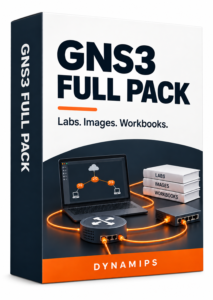 Get the GNS3 Full Pack for 15% less. Choose your savings before you continue.
Your discount is applied automatically at checkout. No code needed.
Please sign in or sign up below.
Please enter the 6 digit code we sent to .
Add a few details so we can personalize your experience.
Sign in with your email and password.
You can continue on this page.
By signing in, you agree to our Terms and Privacy Policy.
