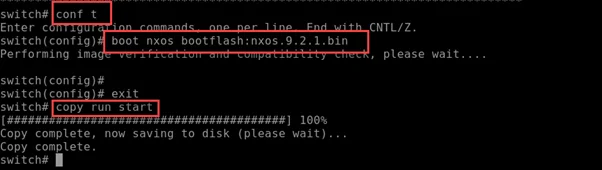


This guide is designed to assist you in quickly resolving the “loader>” prompt issue encountered during the boot process of Nexus 9K or XRv devices. By following the outlined steps, you can ensure a smooth boot and prevent the prompt from reoccurring.

Step 1: Execute the dir command to inspect the directory. Then, boot the system with the following command:
boot nxos.9.2.1.bin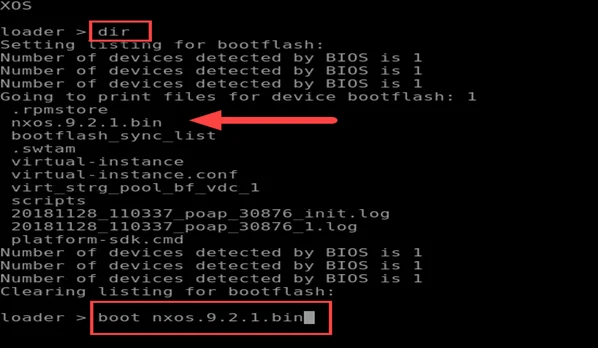
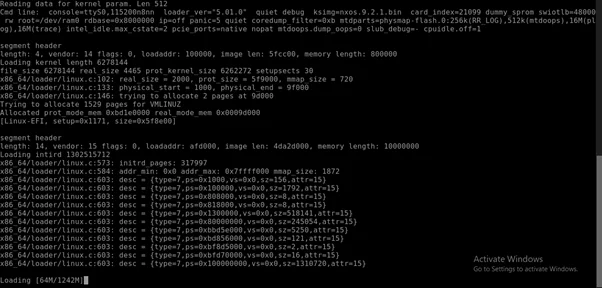
Step 2: Once the switch has successfully booted, establish a password for the Nexus 9K.


Step 3: Proceed to log into the switch.
Preventing the “loader>” Prompt on Nexus 9K
Tip — After the initial setup of your Cisco Nexus 9000 and the POAP interface configuration, it’s crucial to set the boot image correctly in your system. This action will prevent the device from entering the “loader>” prompt post-reload or shutdown.